 MirrorMe
A camera for simulators.Aimed at your desktop.
MirrorMe lets iOS Simulators and Android emulators see whatever sits beneath their window. Drag it over a QR code, or hand a camera an image or a video.
Drag the phone
One switch. Every simulator and emulator.
No changes to the app you are testing. MirrorMe plugs into the camera APIs the app already uses.
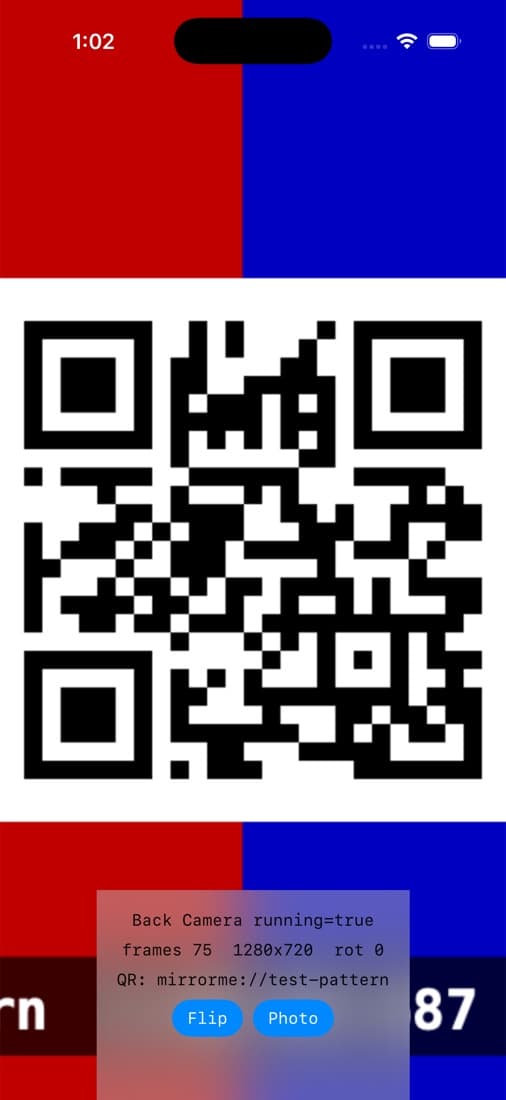
iOS Simulator
Preview, video frames, photos and QR scanning work in any app that uses AVFoundation.
Android emulator
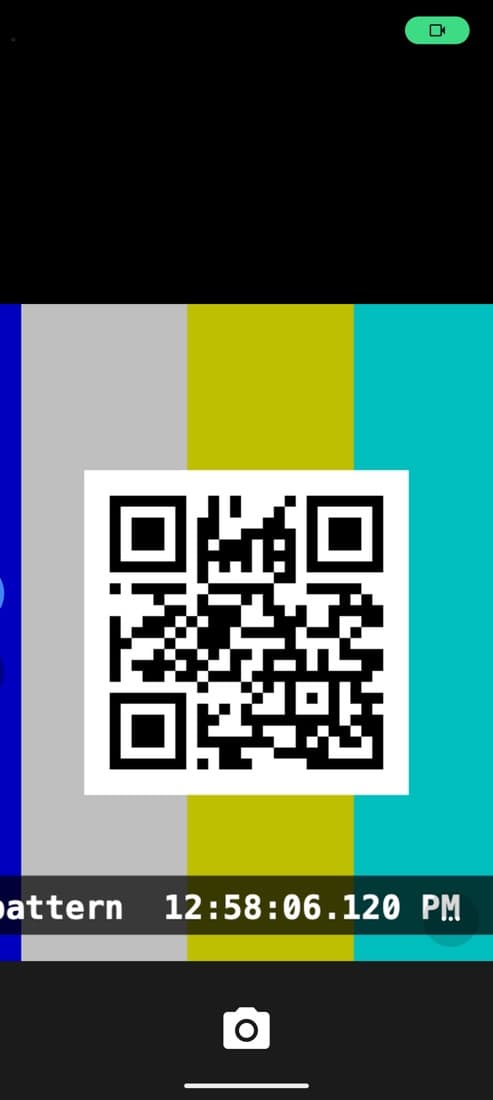
Emulators started from MirrorMe get a MirrorMe Camera that fills the camera preview edge to edge.
It follows the window
Drag a simulator across your screen and its camera keeps up, showing what is underneath, live.

Lives in the menu bar
One switch for every camera. Drop an image or video on any of them.
Scriptable
mirrorme source set image qr.png --device booted
mirrorme android launch Pixel_8
mirrorme mcp   # for AI agents
Installed in a minute.
- 1
Download and drag into Applications
Open the disk image and drag MirrorMe onto the Applications folder. - 2
Run this once in Terminal
MirrorMe isn't notarized by Apple, so macOS holds it back the first time. This lets it open.xattr -dr com.apple.quarantine /Applications/MirrorMe.app - 3
Turn it on
Click the menu bar icon, flip the switch and allow Screen Recording. Then relaunch the app you are testing.

Give your simulators a view.
Free for macOS. Works with the iOS Simulator from Xcode and the Android Emulator from the Android SDK.
- Version
- 1.1.0
- Requires
- macOS 14 or later
- Size
- 2 MB
- SHA-256
- dd3c06dd775c1ad303be4f4dfddccceed5f2b4bd7be6c6e46b363a1db6d550ed
New in 1.1.0. Show an image, a video or a slideshow on any camera, for every device or just one, with an optional overlay. A new Liquid Glass menu, a media library, and an MCP server for AI agents.